Organized by the decision, not the feature.
Six moments where a promoter needs a number. For each one: what you enter, what ShowLedgers calculates, what you learn, what it does not know on its own, and what still needs your review.
Before you buy the show
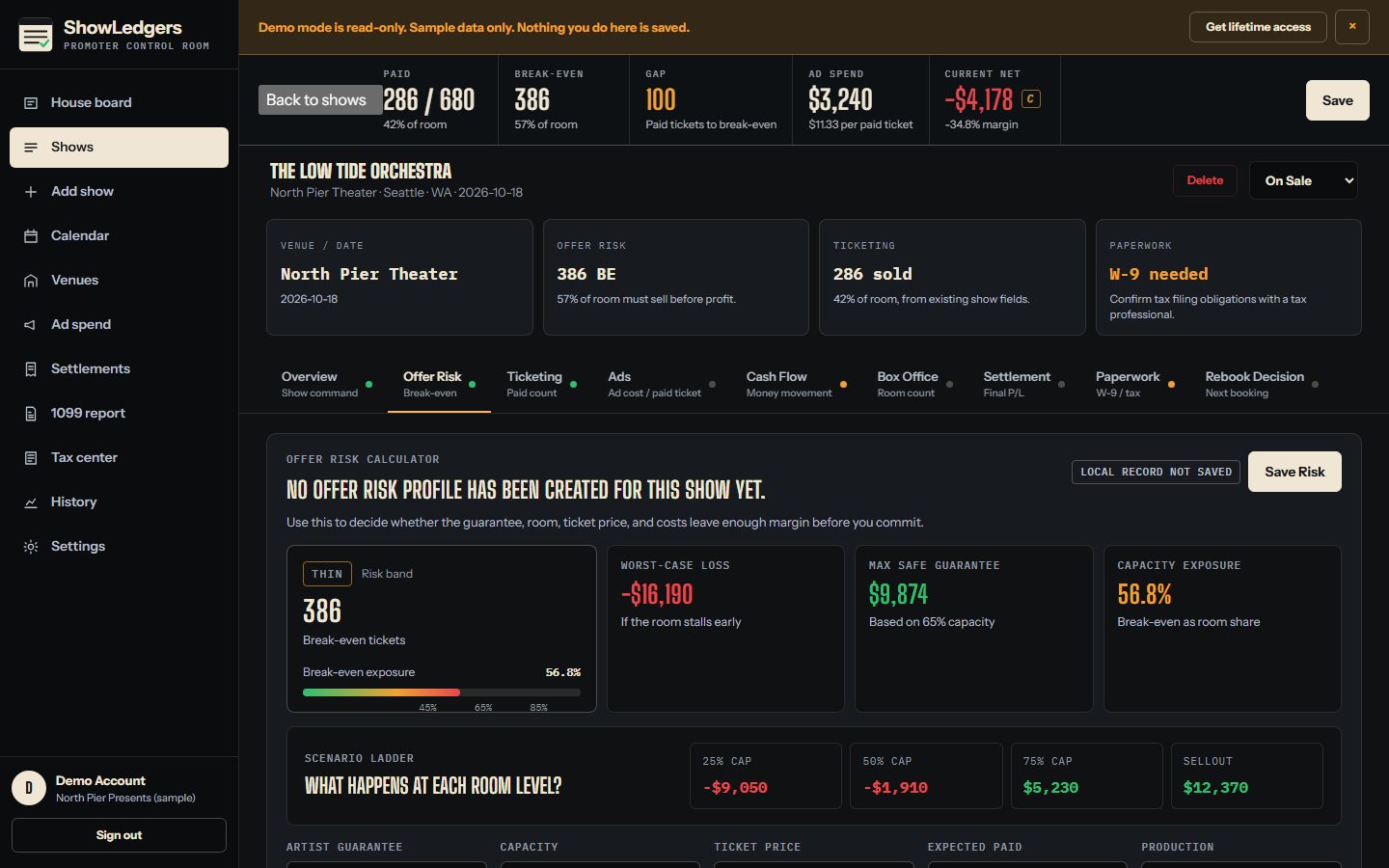
If I buy this show under these assumptions, what has to happen?
- What you enter
- Guarantee and deal type: flat, versus, guarantee plus bonus, or straight percent
- Capacity, ticket price, ticketing fee percent and flat fee, facility fee, tax percent
- Estimated production, marketing, support, hospitality, and venue rent
- Expected paid attendance
- Every offer sent, countered, accepted, declined, or expired
- What ShowLedgers calculates
- Net per ticket after fees and taxes
- Break-even tickets and break-even as a share of the room
- Net at 25, 50, 75, and 100 percent of the room
- Worst-case loss and the largest guarantee the room covers at 65 percent paid
- A risk band: safe, thin, risky, or bad deal
- What you learn
- Whether the room can carry the guarantee before you commit, and what the offer looked like the last time you sent one.
- What it does not know on its own
- Whether the artist will draw. It has the arithmetic, not the audience.
- What needs your review
- The band is a threshold on your own assumptions. Change an assumption and it changes.
While the show is on sale
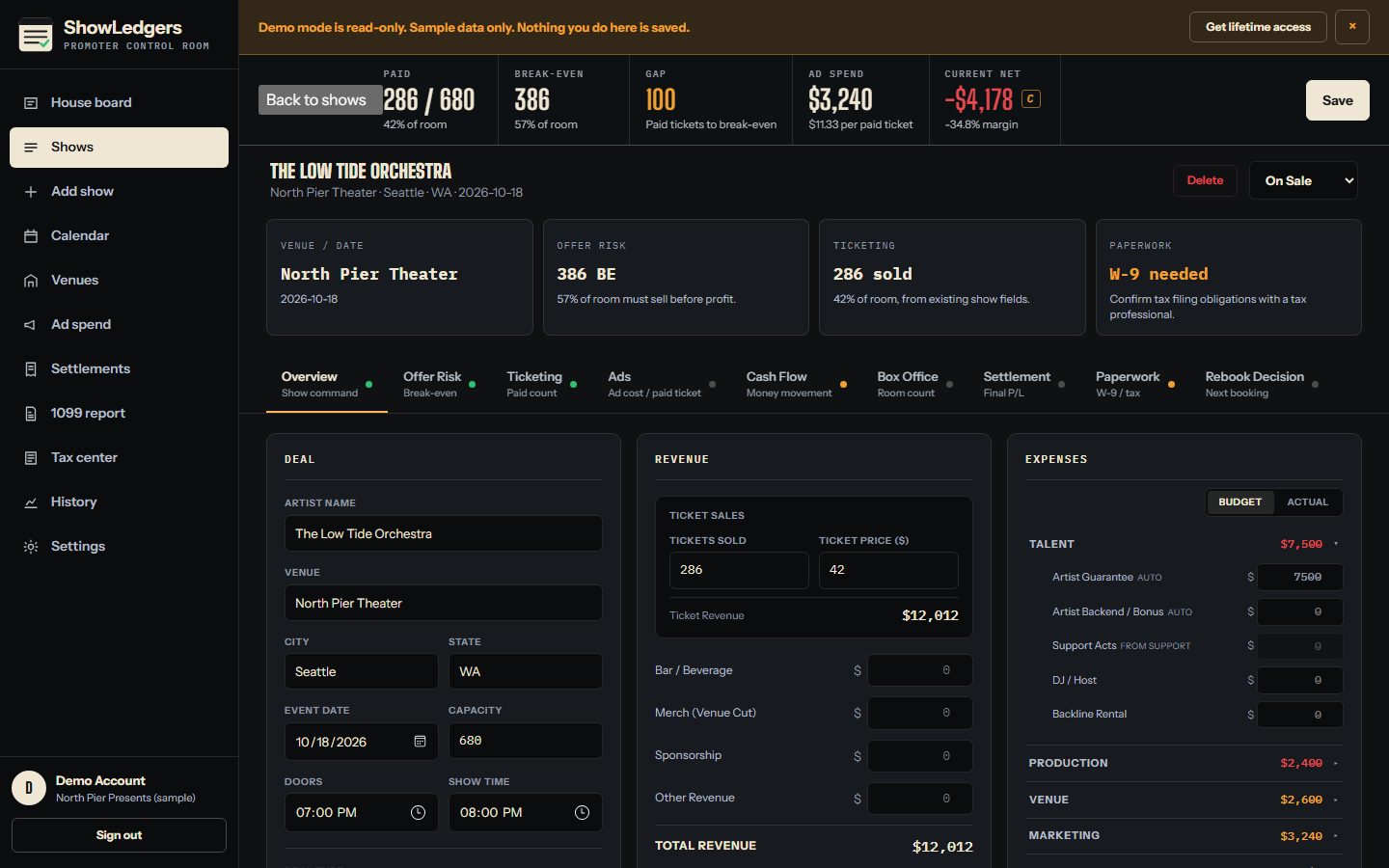
What is the show doing while I can still change something?
- What you enter
- Cumulative paid counts by date, typed from your ticketing report
- Ticket tiers with price, planned, sold, and comps
- Ad spend by platform and campaign, with pixel purchases when you have them
- Costs as they land, budget beside actual
- What ShowLedgers calculates
- Ticket pace and a projected count at show date from recent velocity
- Sell-through against capacity and the break-even line on the chart
- Current revenue, current costs, current net, and margin
- Ad cost per paid ticket and the gap between pixel purchases and real tickets
- What you learn
- Where paid stands against break-even today, how fast it is moving, and what the spend is buying per ticket.
- What it does not know on its own
- Live sales. Counts are as fresh as your last entry. There is no ticketing feed.
- What needs your review
- The projection is a straight line from recent velocity. Treat it as a pace read, not a promise.
At the box office
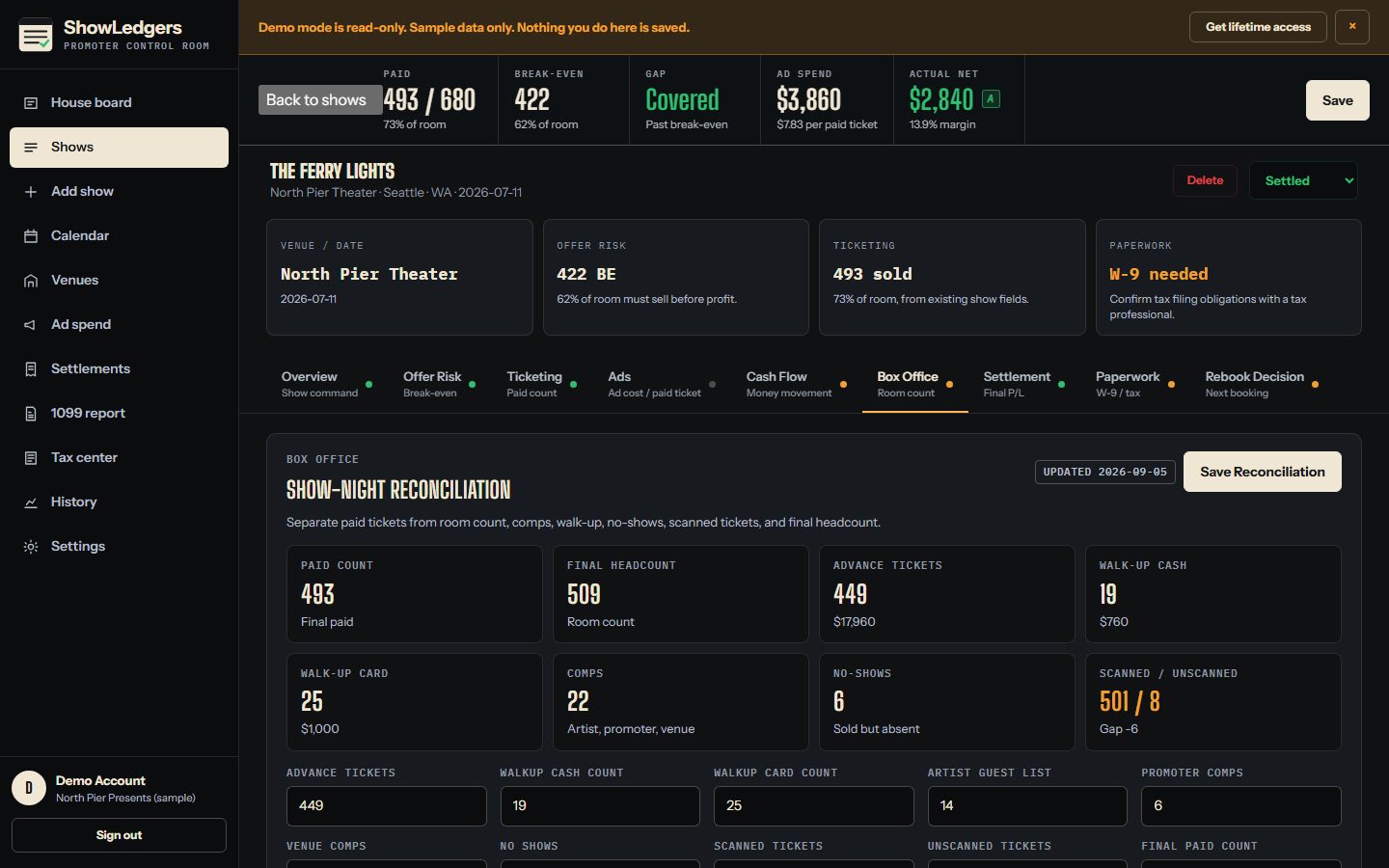
How many actually paid, and does the room count agree?
- What you enter
- Advance tickets and advance gross
- Walk-up cash and card counts and gross
- Artist guest list, promoter comps, venue comps
- No-shows, scanned, unscanned, final paid, final headcount
- What ShowLedgers calculates
- Walk-up totals
- Comp total
- The paid-versus-room gap
- What you learn
- The paid number you can defend at settlement, separated from the room count.
- What it does not know on its own
- Scanner data. Counts come from your door team, not a device.
- What needs your review
- Save the reconciliation before settlement so the two never drift apart.
At settlement
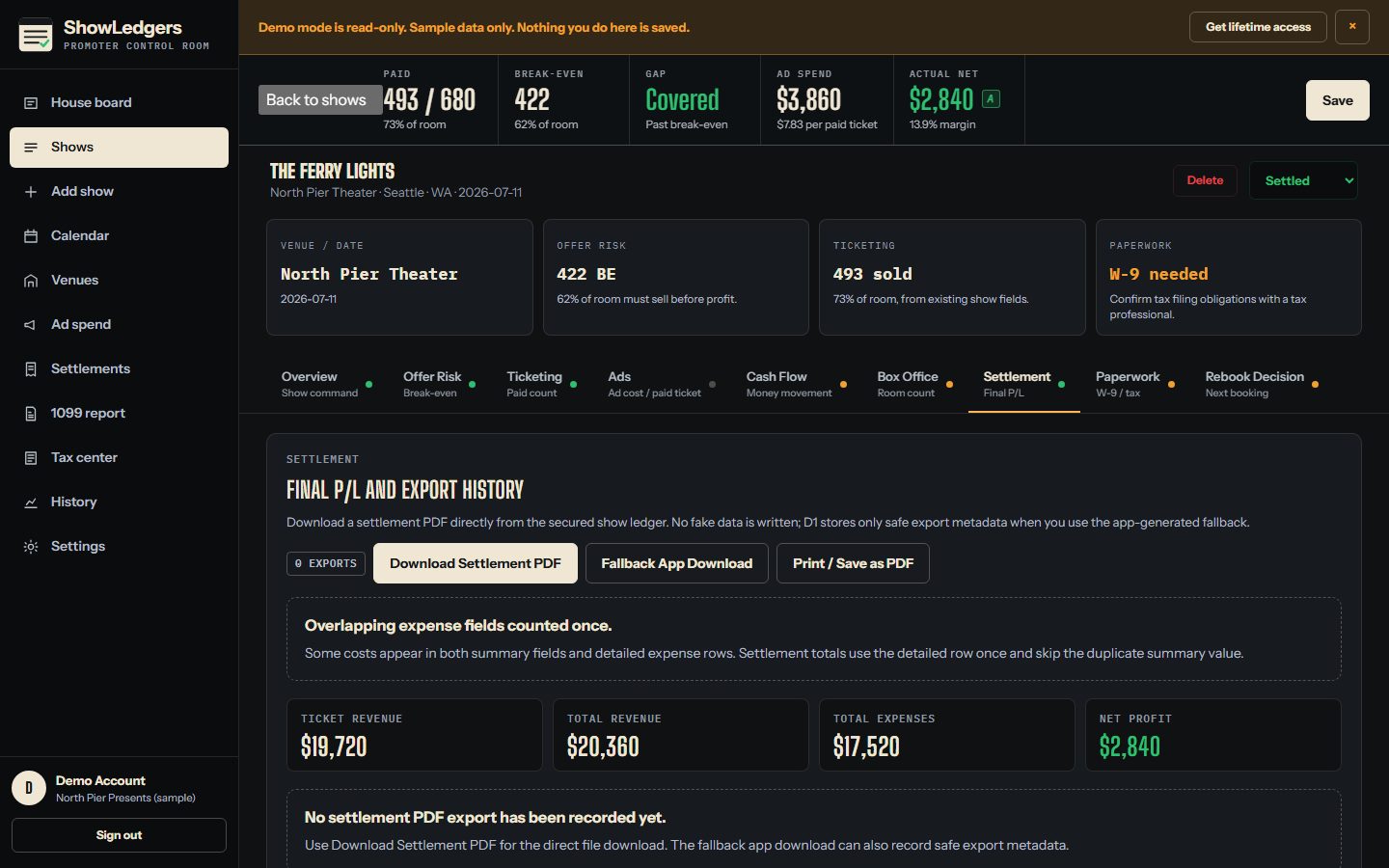
What will settlement actually say?
- What you enter
- Final ticket revenue, bar, merch venue cut, sponsorship, other income
- Every cost line by group: talent, production, venue, marketing, hospitality, other
- Support act payments and settlement notes
- What ShowLedgers calculates
- Guarantee and backend from the deal type
- Overlapping summary and detail fields counted once, with the skipped duplicates listed
- Total revenue, total expenses, promoter net, margin
- A settlement PDF and a print view, plus the export history
- What you learn
- The close, in one document, from the ledger you already kept.
- What it does not know on its own
- Whether every figure is right. It flags duplicates and shows sources, then you review.
- What needs your review
- Read every line before you send the PDF. It is a record for review, not a legally binding document.
Before year-end
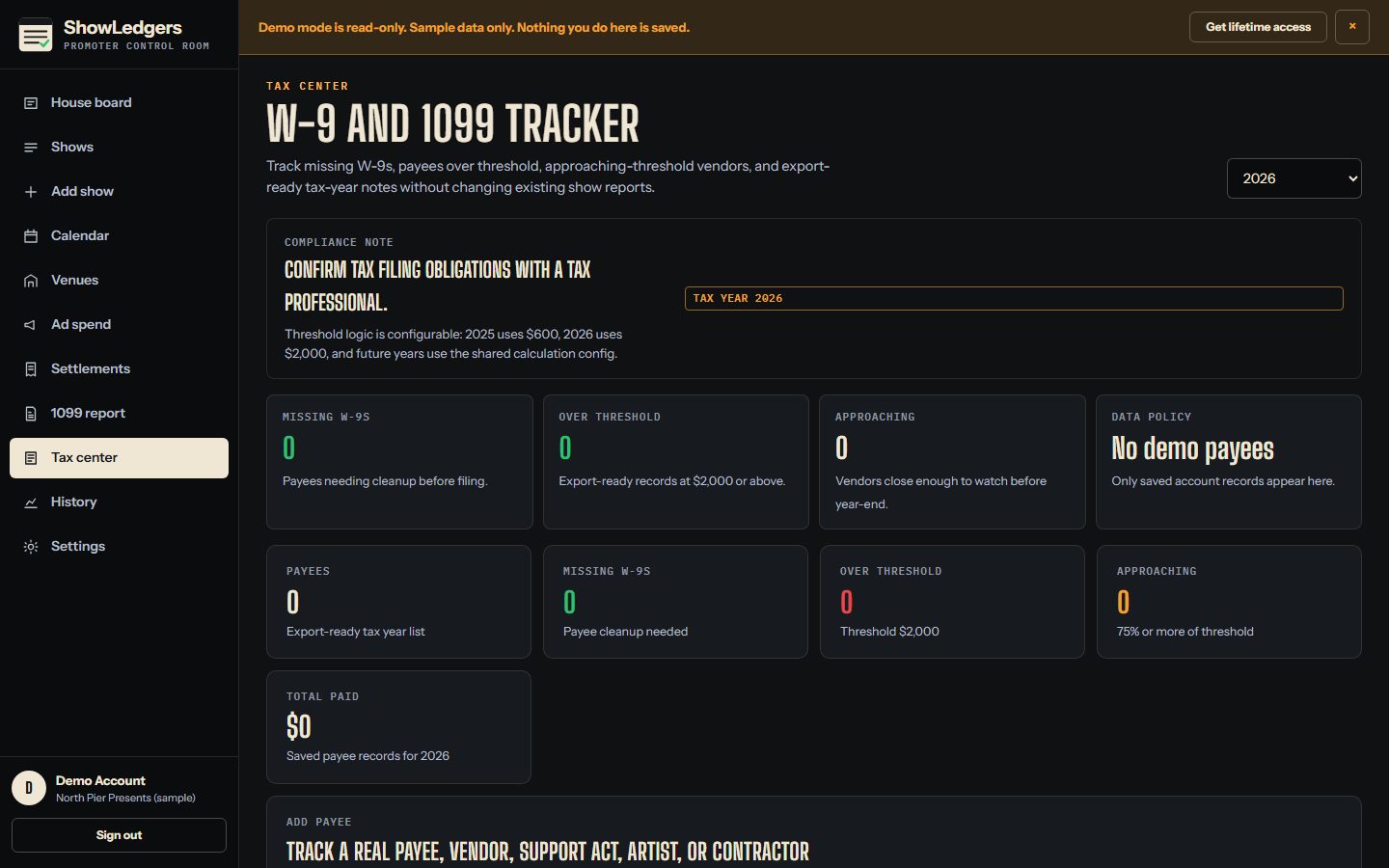
Who needs a W-9, and who crosses the reporting threshold?
- What you enter
- Payee name, legal name, entity type, tax year, total paid
- W-9 requested and received
- An encrypted W-9 upload and an encrypted tax identifier on the show record
- What ShowLedgers calculates
- Threshold status per payee: under, approaching, over
- Missing W-9 count, over-threshold count, total paid by year
- A masked 1099 working CSV
- What you learn
- Whether January will be a review or a cleanup.
- What it does not know on its own
- Your filing obligations. Thresholds are configuration, and the year-end call belongs to you and a tax professional.
- What needs your review
- Identifiers are stored encrypted and displayed as the last four digits only.
Before the next offer
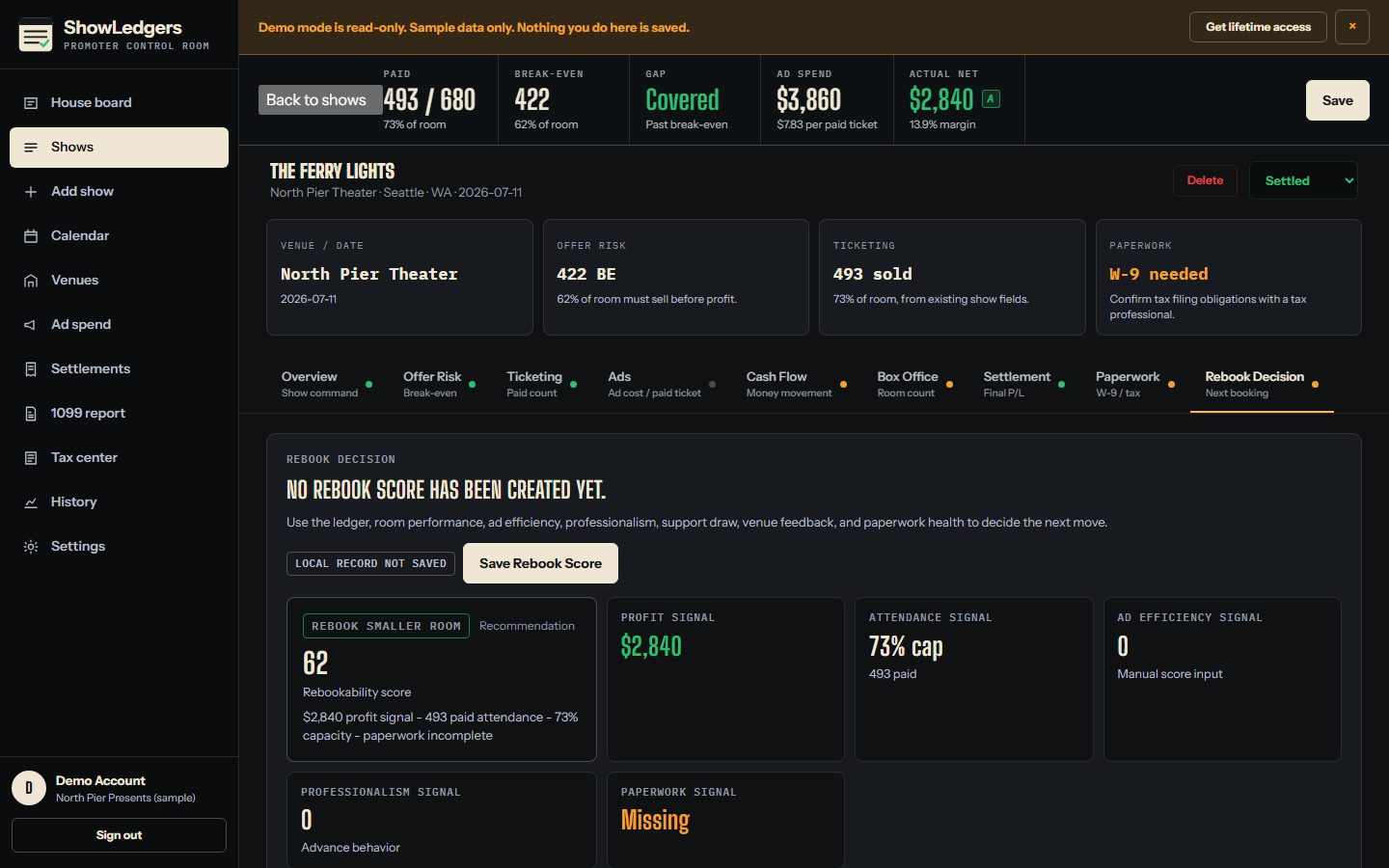
Would I buy this again, and at what number?
- What you enter
- Post-show survey: rating, would you rebook, artist behavior, audience response, notes
- Four judgments: ad efficiency, advance professionalism, support draw, venue feedback
- Paperwork complete or not
- What ShowLedgers calculates
- Artist draw history across your settled shows
- Venue history: shows, average net, average draw
- A rebook score and a recommendation from the settled record and your inputs
- What you learn
- Last offer against last actual, on the page where you write the next one.
- What it does not know on its own
- The right guarantee. There is no recommended number, and there never will be a public benchmark of other promoters' data.
- What needs your review
- The score is transparent arithmetic. The decision is yours.
Run the board yourself.
A fictional show at a fictional venue, computed by the same modules the application uses. Nothing is saved.
North Pier Theater
Sanitized product demo · Fictional venue · Sample data
Offer assumptions
If I buy this show under these assumptions, what has to happen? Change a number. Break-even, the ladder, and the band recompute with the application's offer-risk calculator.
Scenario ladder
| Paid | Net |
|---|---|
| 25% of room | -$10,410 |
| 50% of room | -$3,270 |
| 75% of room | $3,870 |
| Sellout | $11,010 |
ShowLedgers organizes the numbers. Whether to buy the show is your call.
The operating layer around the show. Not the ticketing, not the bank, not the accountant.
Tickets keep selling through your ticketing provider. Money moves the way it already moves. ShowLedgers is where the numbers get organized and read.
- Not a ticketing platform or a box-office payment processor
- Not an accounting firm, bookkeeping service, tax software, or legal software
- Not a booking agency, an artist manager, a promoter, or a marketing agency
- Not a settlement bank, a payroll provider, or a financial adviser
- Not an automatic tax-filing platform, and not a guarantee that a show will make money

One price. The whole control room.
$300 once. No monthly subscription. No per-user charge.